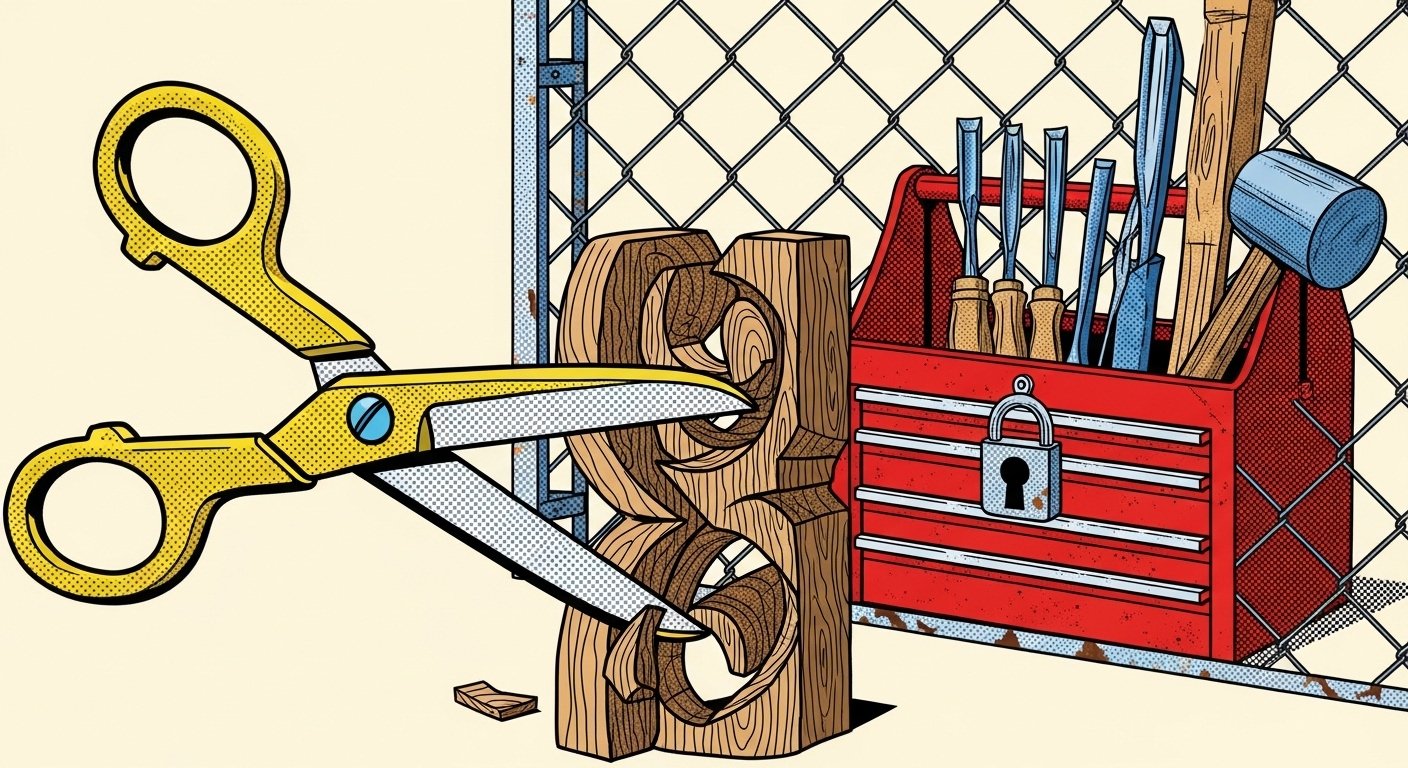
Issuing strict bans on popular design software while providing a corporate-approved alternative that lacks basic export functions is one of the most reliably counterproductive moves in modern IT governance. It doesn't reduce risk. It redirects it — straight into the laps of your most capable people, who will either find a workaround or quietly update their CVs. If your organisation is currently doing this, or seriously considering it, this piece is for you.
I'm Nicholas Hodder. I've spent over two decades in digital transformation and technology leadership, mostly in the public and third sectors. I have sat in the meetings where these decisions get made. I have, on at least three occasions, watched a senior stakeholder ban a tool used by half the organisation on a Tuesday afternoon, without telling anyone until Friday. What follows is everything I wish someone had handed those stakeholders before they pressed send on that all-staff email.
What's actually happening when organisations ban popular design tools?
On paper, the logic is defensible. Security, licensing compliance, data governance, procurement rules — these are real concerns, not invented ones. Tools like Figma, Adobe Creative Cloud, or Canva involve cloud storage, third-party data processing, and subscription models that don't always sit neatly inside enterprise procurement frameworks.
The problem isn't the concern. The problem is the response: a blanket ban, enforced immediately, followed by the rollout of a "corporate-approved alternative" that was selected by someone who has never actually had to design anything under deadline pressure.
That alternative typically offers roughly 40% of the functionality of the tool it replaced, loads slowly, crashes when you try to export to PDF, and — this is the one that really gets people — cannot export files in any format that anyone outside the organisation can open. It's the digital equivalent of being handed a pen with no ink and told to write faster.
Why do organisations keep doing this?
Is it really about security, or is it about control?
Genuinely, both. But the proportions matter. A 2023 survey by Gartner found that over 60% of IT governance decisions that restrict end-user tools cite security as the primary driver — yet fewer than a third of those decisions involved a formal risk assessment of the specific tool being banned. That's not a security posture. That's a vibe.
The honest answer is that many IT departments are under real pressure to reduce the number of approved applications in their estate. Shadow IT (the use of tools and services not sanctioned by IT, often acquired by individual teams or departments without formal approval) is a genuine governance headache. The instinct to consolidate is understandable. The execution is where it falls apart.
Who actually makes these decisions, and what do they know about design?
In most organisations I've worked with, the decision is made by a combination of IT security, procurement, and senior leadership — with little or no input from the people who actually use the tools. Design teams, communications professionals, service designers, UX practitioners: their voices tend to arrive late, if at all.
This isn't a conspiracy. It's a structural problem. The people closest to the work are rarely in the room when the work's tools are being decided. By the time the ban is announced, the alternative has already been selected, the contract has been signed, and the conversation has moved on.
What does a "corporate-approved alternative that lacks basic export functions" actually look like?
I want to be specific here, because the vagueness of "it's not as good" undersells the actual damage. Here are the most common functional gaps I've seen in approved alternatives — gaps that have real, measurable consequences.
- No vector export (SVG/EPS): Meaning any logo or icon created in the tool is immediately degraded the moment it leaves the platform. Print is now a problem.
- Proprietary file formats only: Colleagues outside the approved tool ecosystem can't open, edit, or review files. Collaboration dies on contact with the real world.
- No PDF export, or PDF export locked behind an admin permission: This one deserves its own paragraph, frankly.
- No API or integration capability: The tool sits in isolation, disconnected from the rest of the digital workflow. Every handoff becomes a manual step.
- Storage limits that make version control impossible: Teams resort to saving files locally, which defeats the entire purpose of a cloud-based tool.
- No real-time collaboration: In a post-pandemic, hybrid working environment, this isn't a minor inconvenience. It's a fundamental blocker.
The cumulative effect of these gaps isn't just frustration. It's lost hours, degraded output quality, and a creeping sense among your best people that the organisation doesn't actually want them to do good work. That last one is the one that costs you the most, and it's the one that never appears on the IT governance dashboard.
What does the research say about productivity impact?
A 2022 study by McKinsey Digital found that employees spend an average of 1.8 hours per day searching for information or dealing with tool friction — and that's before you introduce a mandatory tool switch that nobody was trained on. The same study found that well-implemented collaboration tools can increase productivity by 20–25%.
The inverse is also true. When you force a downgrade, you don't just lose the productivity gain — you go negative. You're now paying people to fight their tools instead of use them.
Research from the Nielsen Norman Group, which has been studying UX and workplace productivity since the 1990s, consistently shows that tool proficiency takes between 6 and 12 months to rebuild after a forced migration to an unfamiliar platform. If your design team has five people and you've just reset their collective proficiency clock, you've made a very expensive procurement decision.
How does this compare to doing it properly?
| Approach | What it looks like | Likely outcome | Risk level |
|---|---|---|---|
| Blanket ban, immediate enforcement | All-staff email on a Tuesday. New tool available Thursday. No training. No transition period. | Workarounds proliferate. Shadow IT increases. Staff morale drops. Output quality degrades. | High (operational and retention risk) |
| Managed migration with genuine user input | Stakeholder consultation. Pilot group. Training programme. Phased rollout. Feedback loop. | Higher adoption rate. Lower resistance. Retained productivity during transition. | Low to medium |
| Risk-tiered access model | Popular tools approved for use with defined data handling rules. High-risk data stays off the platform. | Teams retain capability. Governance concerns addressed proportionately. Trust maintained. | Low (with proper controls) |
| Do nothing (shadow IT continues unchecked) | No policy. Everyone uses whatever they like. IT has no visibility. | Real security and compliance risk. Inconsistent outputs. Procurement chaos. | High (security and compliance risk) |
The managed migration route is obviously more effort upfront. But it's the only one that doesn't generate a different, larger problem on the other side.
What are the real risks of banning tools like Figma, Canva, or Adobe without a proper alternative?
The talent risk nobody talks about in the governance meeting
Design professionals, UX practitioners, and communications specialists are, in my experience, among the most tool-literate people in any organisation. They have strong opinions about their software. They are also, in most sectors right now, in demand.
Telling a senior designer that they can no longer use the industry-standard tool for their discipline, and replacing it with something that can't export a PNG without admin approval, is a resignation letter waiting to happen. Not immediately. But it plants a seed.
I've seen this play out. The best people leave first, because they have options. The people who stay are the ones who've learned to work around the constraints — which means your governance policy has now made workarounds a core competency rather than design.
The shadow IT paradox
Here's the irony that I genuinely enjoy explaining to IT governance committees: banning popular tools in favour of inadequate alternatives often increases shadow IT rather than reducing it.
When the approved tool can't do the job, people find a way to do the job. They use personal devices. They use free-tier accounts on the banned platform. They email files to personal addresses to open them at home. Every one of those workarounds is a security risk that didn't exist before the ban.
You set out to reduce your attack surface. You've accidentally expanded it, and now it's distributed across people's personal laptops and Gmail accounts. Well done, everyone.
What should IT leaders actually do instead?
Step 1: Conduct a proper tool risk assessment before any ban
Not a gut-feel assessment. An actual, documented risk assessment that considers the specific data types being handled in the tool, the vendor's data processing agreements, the regulatory framework you're operating in, and the realistic likelihood of harm.
Most design tools handle creative assets, not personal data. The risk profile of a communications team using Canva to make a poster is materially different from a finance team storing client records in an unapproved database. Treat them differently.
Step 2: Talk to the people who actually use the tool
Radical, I know. But a 30-minute conversation with the design lead before you make a decision will save you six months of productivity loss and at least one resignation letter after it.
Ask them: What do you use this tool for? What would break if we removed it? What would you need in a replacement? This is not a consultation exercise for show. It's due diligence.
Step 3: Evaluate alternatives against actual use cases, not feature lists
Vendor demonstrations are optimised to make software look capable. The thing that never appears in a vendor demo is the export function that doesn't work, the file format that nobody outside your organisation can open, or the collaboration feature that requires every participant to have a paid licence.
Run a structured pilot with real tasks. Give the pilot group actual work to do with the proposed alternative. See what breaks. That's your evaluation.
Step 4: If you must migrate, do it properly
- Set a realistic transition timeline — weeks, not days.
- Provide funded training, not a PDF guide nobody will read.
- Appoint a named person to handle transition queries.
- Build in a feedback mechanism that actually reaches a decision-maker.
- Have a documented escalation path for capability gaps discovered post-migration.
Step 5: Consider a risk-tiered access model
Not every tool needs to be banned or fully approved. A risk-tiered model allows teams to use certain tools for defined, lower-risk purposes while maintaining tighter controls on higher-risk data. This is more nuanced to implement, but it's also the approach that doesn't make you look like you've declared war on the people trying to do good work.
What does good IT governance for creative tools actually look like?
It looks like a conversation, not a policy document. It starts with understanding what the tools are actually being used for, not assuming the worst. It involves the people closest to the work before the decision is made, not after.
Good governance in this space also means being honest about the trade-offs. If you're going to ask a team to accept a less capable tool for legitimate governance reasons, say so. Explain the reasoning. Acknowledge the sacrifice. People can accept constraints they understand and trust. What they can't accept — and won't, for long — is a constraint that feels arbitrary and is enforced by a tool that makes their job demonstrably harder.
I've worked with organisations that get this right. They tend to have one thing in common: the IT function sees itself as a service to the business, not a guardian of the business from itself. That's a cultural shift, not a policy one. But it's the shift that makes the difference.
Frequently Asked Questions
Why do companies ban tools like Figma or Canva?
The most common stated reasons are security concerns, data governance, licensing compliance, and shadow IT reduction. These are legitimate concerns. The issue is that they're often addressed with disproportionate responses — blanket bans rather than targeted controls — and without meaningful input from the people affected.
Is it legal to ban employees from using specific software?
Yes, entirely. Organisations have the right to set IT policies governing what tools can be used on corporate devices and networks. The question isn't legality — it's whether the policy is proportionate, well-communicated, and accompanied by a genuine alternative that allows people to continue doing their jobs.
What should I do if my organisation has banned a tool I rely on?
First, understand the reason for the ban — ask, formally if necessary. Then document the specific functional gaps in the approved alternative, with examples of work that can no longer be completed or is significantly degraded. Present this as a business impact, not a personal preference. If there's a governance or IT forum, that's your route. If there isn't, find the person who made the decision and have the conversation directly.
How do I make the case to IT leadership for keeping a design tool?
Translate the impact into terms IT leadership cares about: time lost per person per week, cost of retraining, quality of deliverables, and retention risk. Avoid making it about preference. Make it about organisational capability. If you can demonstrate that the approved alternative creates a specific, measurable gap in output, that's a business case, not a complaint.
What are the most common design tools that get banned in corporate environments?
Figma, Canva, Adobe Creative Cloud (particularly cloud-synced components), Miro, and Sketch are among the most frequently restricted. They're targeted because they involve cloud storage and third-party data processing — which is a genuine governance consideration — but also because they're subscription-based and sit outside traditional enterprise procurement models.
What's a reasonable corporate alternative to Figma or Canva?
That depends heavily on use case. For organisations inside the Microsoft 365 ecosystem, tools like Microsoft Designer or PowerPoint with modern templates can cover basic communications needs. For more complex design and UX work, there's no honest Microsoft-native equivalent to Figma. Some organisations negotiate enterprise agreements with Figma or Adobe that include enhanced data processing terms — this is often a better solution than a forced migration to something inferior.
How long does it take for a team to recover productivity after a forced tool migration?
Research from the Nielsen Norman Group suggests 6–12 months to rebuild proficiency after a significant tool change. In practice, this varies with the quality of training provided and the gap between the old and new tool. If the new tool lacks core functionality, full recovery may never happen — teams simply do less, or do it worse.
Can shadow IT be reduced without banning tools?
Yes. The most effective approach is to understand why people are using unsanctioned tools — usually because sanctioned tools don't meet their needs — and address the root cause. A risk-tiered approval model, combined with a clear and accessible process for requesting new tools, reduces shadow IT more sustainably than enforcement alone.
Nicholas Hodder is a digital transformation and technology leader with over 20 years of experience, primarily in the public and third sectors. He is also a professional speaker and stand-up comedian, which means he has found a way to make IT governance genuinely entertaining. Occasionally on purpose.